
Stated Problem
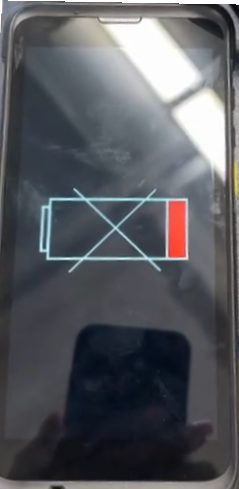
When attempting to charge the device, the screen displays a battery icon with an X across it, and the bottom portion of the battery icon appears red.
Solution
This issue occurs because the battery has not been installed in the device. Locate the battery in the shipping box and install it into the unit. Once the battery is properly installed, the device should begin charging normally.